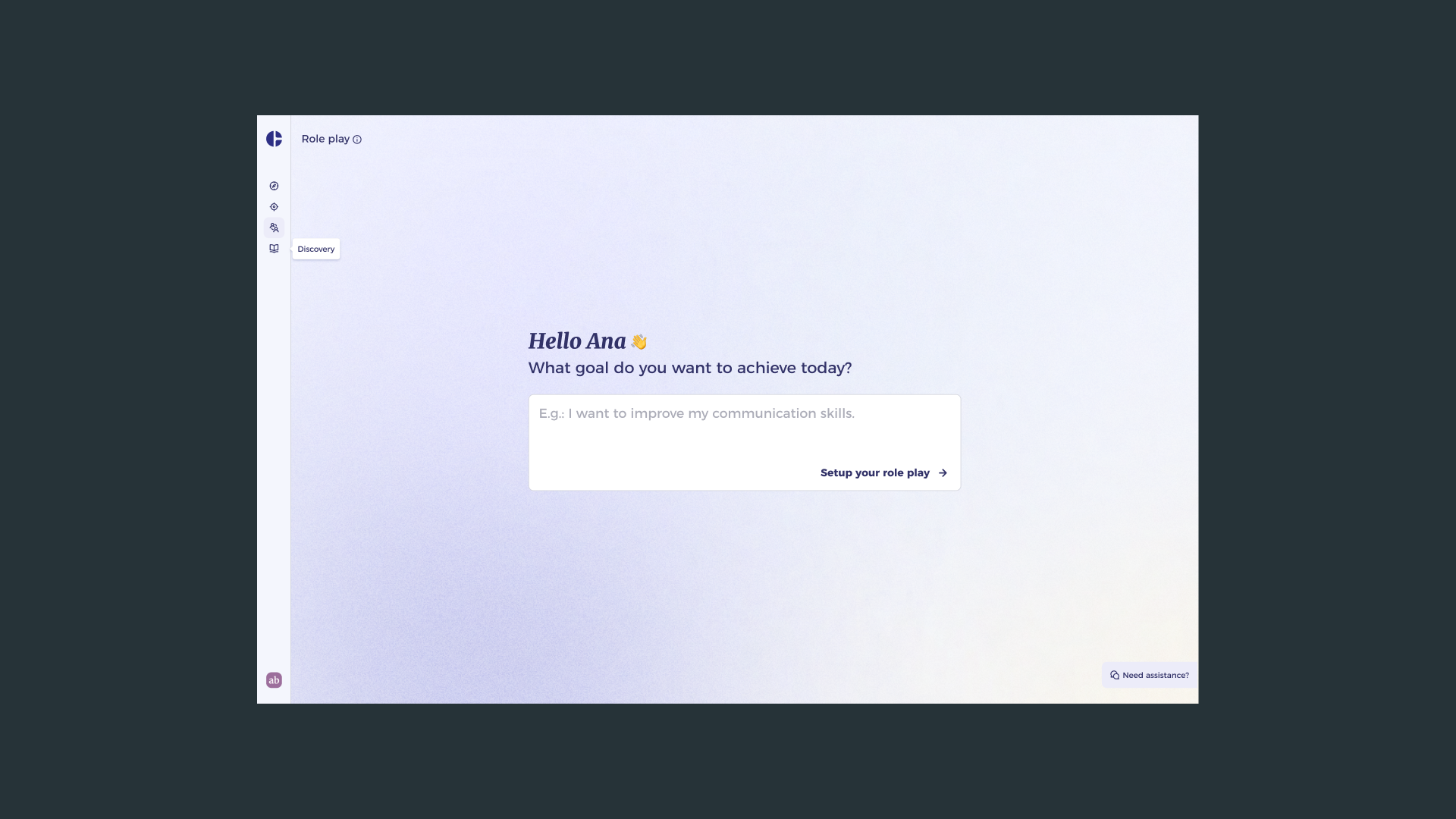
AI Role Play
Redesigning the setup experience for AIMY's coaching simulations so practitioners can configure complex scenarios in under a minute
The Challenge
Role Play is one of AIMY's most experiential coaching formats. It lets coachees practice real-world conversations, things like delivering difficult feedback, handling conflict, or leading a performance review, in a safe, AI-guided environment.
The existing implementation had four predefined scenarios selectable from a dropdown, with additional parameters configured through manual form fields covering role, skill, communication style, and context. On paper, the feature was complete. In practice, the setup experience was causing friction before the learning even started.
Support tickets consistently pointed to the same pattern: users struggled with which parameters to set, couldn't confidently interpret field labels, and often abandoned the configuration before completing it. The AI model itself was capable. The interface was failing to communicate that capability, and failing to guide users into it.
Research and Discovery
I approached the problem through two parallel data streams. First, I conducted moderated interviews with coachees who had used Role Play at least twice. The sessions were structured around the setup flow specifically: I wanted to understand their mental model when approaching configuration, the points where confidence dropped, and what they wished they could do that the current interface didn't support.
What emerged was consistent across participants. Users approached the configuration expecting it to feel like describing a situation to a colleague, not filling in a technical form. The field labels were too abstract ("communication style," "skill focus") without enough context to anchor them to a real scenario. People were guessing, not configuring.
The second stream was internal: I analysed the open support tickets related to Role Play setup over a six-month window. The data reinforced the interview findings but added quantitative weight. Requests for clearer guidance on parameter fields appeared in more than half of the tickets. Several users had submitted multiple tickets for the same configuration questions, suggesting the problem wasn't resolved after the first contact with support.
Together, the research pointed to a clear diagnosis: the configuration experience treated users as form-fillers when they needed to feel like scenario-builders. The solution needed to restructure both the information architecture and the interaction model, not just relabel fields.
Design Approach
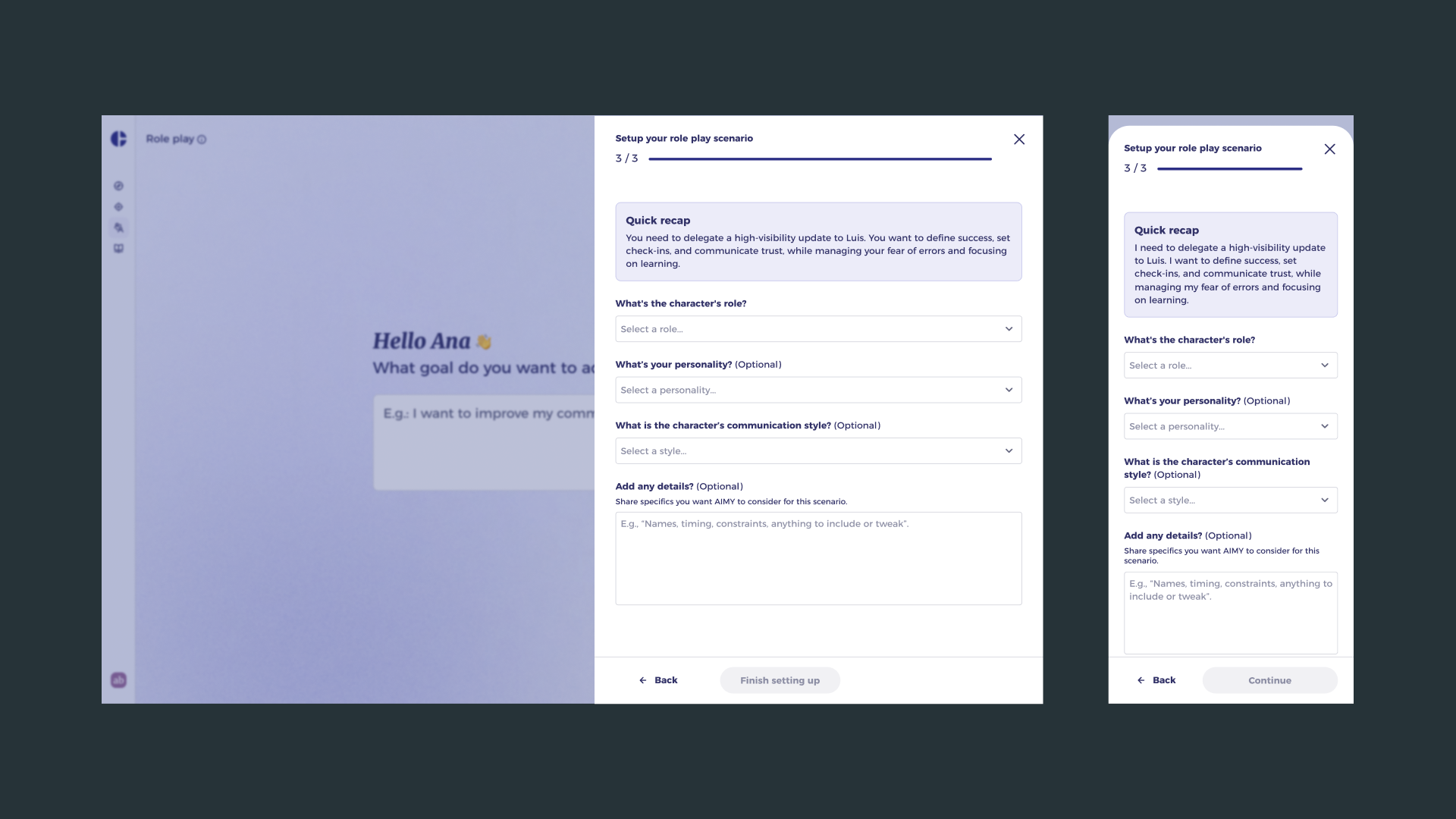
The core interaction change was moving configuration out of an inline form and into a contextual drawer panel. This shift served two purposes: it preserved the coaching context visible in the background (keeping users oriented to the task, not the interface), and it created a contained, focused space where configuration could feel like preparation rather than administration.
Inside the drawer, I restructured the parameters around the natural mental model that emerged from research. Instead of abstract field labels, the flow leads with the scenario: who is this person, what is the conversation about, and what does success look like? Skill and style parameters follow, reframed as coaching outcomes rather than technical inputs. Inline descriptions and examples replaced placeholder text, reducing interpretation load at the moment of decision.
I also extended the scenario library beyond the original four options. The new model surfaces a curated set of common real-world situations as starting points, each pre-seeding sensible defaults, so users can launch into a practice conversation immediately and adjust parameters from there rather than starting from a blank configuration state.
Validation and Impact
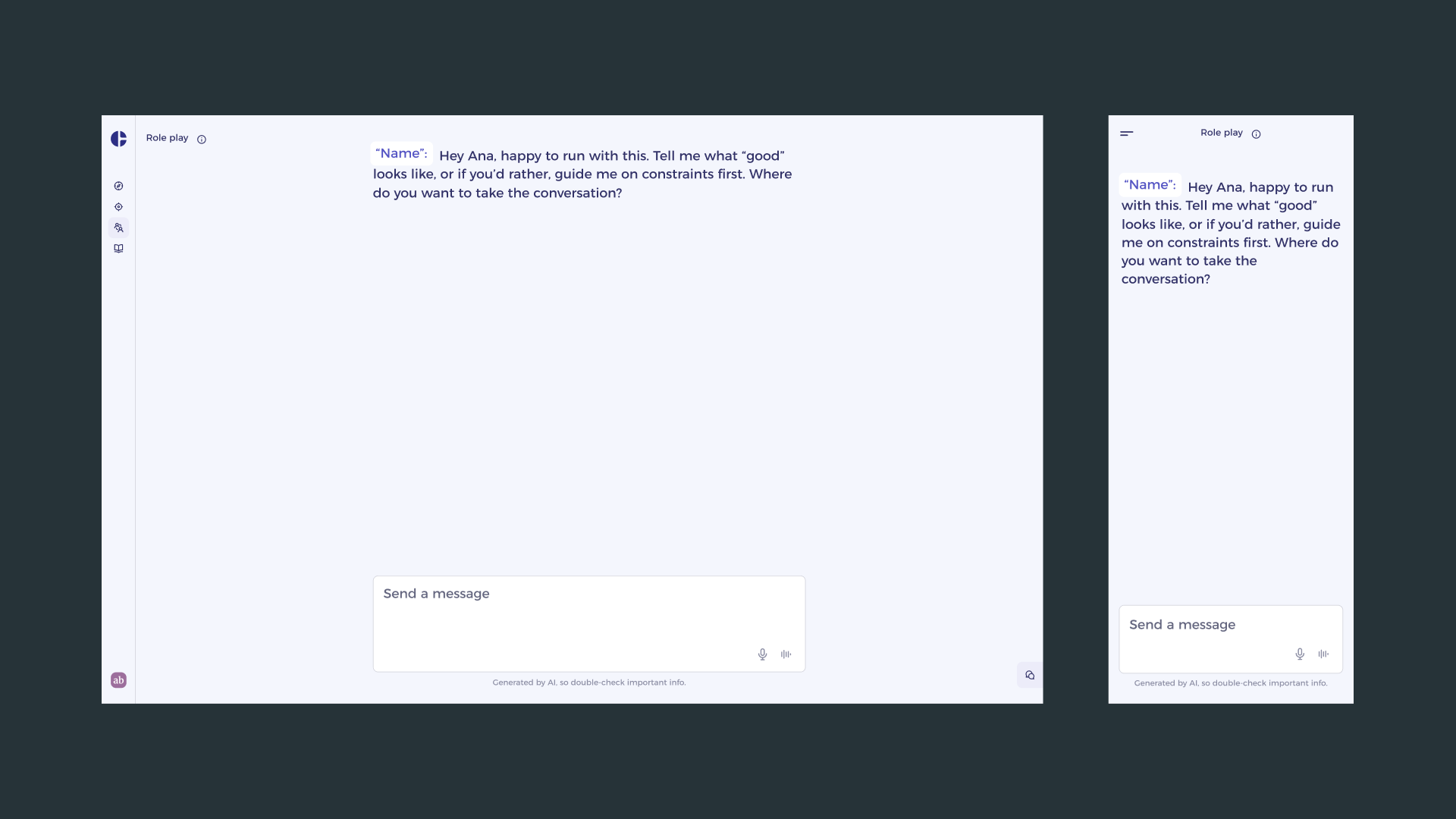
I validated the redesign with a functional prototype tested against the same user cohort from the initial research. The sessions focused on task completion and confidence: could users reach a configured, ready-to-start Role Play session without assistance, and did they feel ready when they got there?
The results confirmed the direction. Users moved through configuration without stopping to interpret parameters. The scenario-first structure matched their mental model closely enough that most described the experience as intuitive rather than guided. Several participants noted that the defaults in the scenario templates were themselves useful, giving them a calibrated starting point they then personalised.
From the internal data side, the redesigned flow reduced inbound support contact related to configuration significantly. The drawer interaction also performed well on mobile, where the previous form layout had been particularly prone to drop-off due to long scroll paths and unclear field grouping.
The project demonstrated that the quality of an AI coaching experience is not determined solely by model capability. How users are prepared to engage with that capability, the setup UX, is equally load-bearing. Getting that right unlocks the value that was already there.